Tax return spreading for commercial lending
Review the return and the detail behind it.
SpreadSpace™ brings supported business and personal tax returns into a financial-review workflow. Examine earnings, guarantor income and rental activity while keeping the supporting document available beside the analysis.
Coverage includes Forms 1040, 1120, 1120S and 1065, together with supported schedules and accompanying statements.
No-AI data extraction. No OCR. No offshore review shops. Better extraction pricing.
A summary line is the start of the investigation
A return can point to additional information elsewhere in the filing. For a credit review, the headline amount may be less useful without the detail that explains it.
SpreadSpace connects supported return information to its source. Analysts can inspect the evidence behind a figure instead of treating an extracted total as the end of the analysis.
Consider a liability figure whose composition matters to the review. The question is not just whether the number was read correctly. It is what that number includes and how the components should be treated in the credit analysis.
Keep the business and the guarantor distinct
A business's reported earnings and an individual's income are related questions, not interchangeable figures.
Review business and personal returns together while keeping the entity, person and tax year clear. That makes it possible to discuss the borrower's financial performance alongside the guarantor's information without turning both into an unexplained combined amount.
Follow K-1 information in context
Review supported K-1 information alongside the relevant business and personal returns. Inspect the issuer, recipient, reported income and distributions as part of understanding the financial relationship.
For example, a reviewer may need to examine both the income reported for an interest and the distributions associated with it. Keep the information distinguishable so the analyst can decide how each belongs in the review.
Examine rental activity property by property
Supported rental information includes Form 8825 and Schedule E. Review the available property income and expense detail rather than relying only on a combined rental figure.
A property-level view gives the analyst a place to investigate the components of performance and consider the adjustments relevant to that property. The reported figures remain the reference point for the analysis.
Keep adjustments connected to the reported information
An analytical adjustment should be explainable independently of the amount printed on the return.
SpreadSpace lets analysts work with supported earnings views and selected adjustments while retaining access to the source information. The result is a review that can distinguish the document's figures from the analyst's treatment of them.
Do not treat differences across reporting bases or periods as questions that a summary alone can answer. Follow the supporting information and the assumptions used in the analysis.
Mathematical checks with visible exceptions
For supported documents, extracted figures are mathematically cross-checked wherever the available values allow them to be reconciled. An extraction that does not meet validation requirements is rejected; a retained extraction with a discrepancy includes an explicit notice for review.
These checks support the analyst's work. They do not certify the return or determine the lender's credit conclusion.
Carry the evidence into the write-up
Use the reviewed financial information to prepare the spread and selected memo exhibits. Keep the explanation tied to the source during review rather than asking another analyst to reconstruct the path from the return to the conclusion.
Follow a spread figure to its source
Open the document behind a spread figure, check the supporting line and return to the analysis with the evidence available for the credit review.
Tax return document details
Explore the business and personal returns, schedules and supporting statements available for review. Integration details are in the docs.spreadspace.app.
1040
1040 Spine
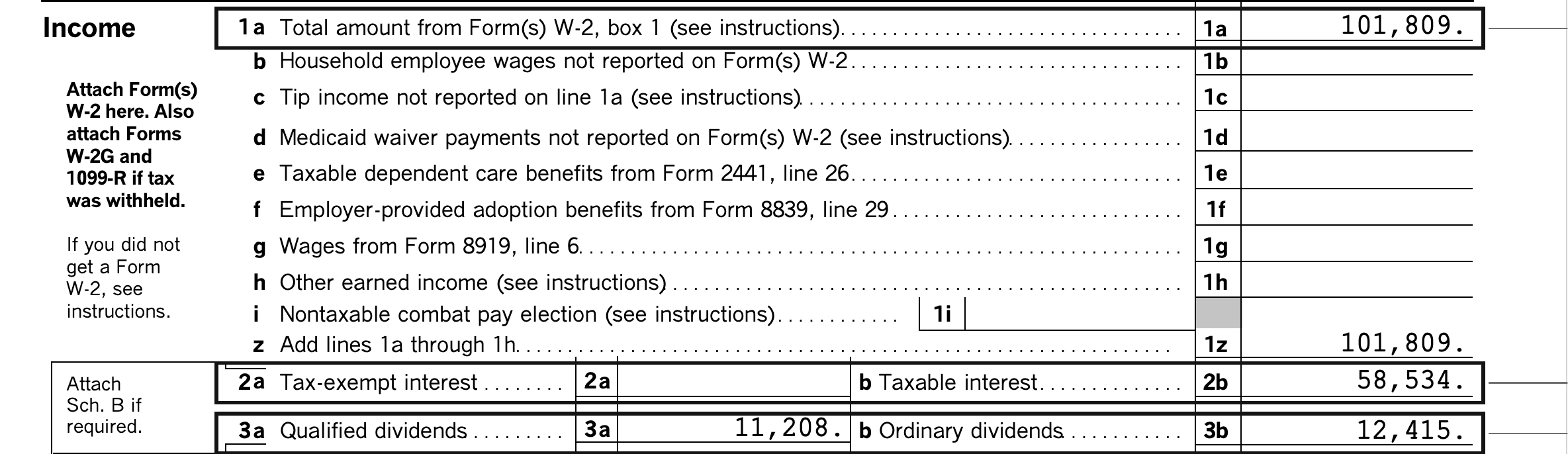
Schedule 1, Additional Income and Adjustments to Income
Schedule 2, Additional Taxes
Schedule 3, Additional Credits and Payments
Schedule A, Itemized Deductions
Schedule B, Interest and Ordinary Dividends

Schedule C, Profit or Loss From Business
Schedule D, Capital Gains and Losses
Schedule E, Supplemental Income and Loss

Schedule F, Profit or Loss From Farming
Schedule SE, Self-Employment Tax
Form 8995, Qualified Business Income Deduction Simplified Computation

Form 8582, Passive Activity Loss Limitations

Questions about tax return spreading
Which return families are supported?
Coverage includes Forms 1040, 1120, 1120S and 1065. The document details on this page identify the published schedules and supporting material. Evaluate the particular forms, years and file quality in your own credit files rather than assuming universal coverage.
Is the output automatically an approved spread?
No. Extraction supplies document information. The analyst reviews the financial analysis and finalizes the spread separately.
Can we review returns inside our lending application?
Yes. The embedded workspace and document-review panel provide ways to bring the analyst experience into an existing application. Integration documentation covers the available surfaces and outputs.
Review a representative return package
Bring a business return, the associated guarantor information and the schedules that usually require closer inspection. Follow an important figure from the spread into its supporting detail.